Link360: Phone Tracker
- 4.1
- Rating
- 1.00M
- Installs
- Free
- Price

 Analysis by App-foxy
I approached Link360: Phone Tracker as a practical family-safety tool rather than as a general-purpose social app. Its purpose is straightforward: help people stay connected through location sharing, GPS tracking, and phone-finding features. That sounds useful, but location apps deserve a more careful review than a simple “does it work?” test. The important questions are who can see a location, when sharing is active, how clearly the app presents those choices, and whether the convenience is worth the personal data involved.
In my experience, this is the kind of app that can make sense for a small group of people who already agree on how they want to use it. A parent coordinating with a teenager, relatives checking that someone arrived safely, or housemates trying to find a misplaced phone may appreciate having these functions in one place. It is less appealing if you only need occasional directions, temporary location sharing, or a basic way to find your own device. Those jobs may be handled more simply by tools already built into a phone.
What Link360 feels like in daily use
Link360 sits in the lifestyle category and comes from SoulApps Studio. It is free to install, with optional in-app purchases ranging from $0.49 to $99.99 per item. The app is rated for Everyone, which makes its presentation accessible to a broad audience, but that age label should not replace a conversation about privacy. A location tracker can be easy to open and use while still requiring mature decisions about consent and access.
You May Also Like

 Blood Strike: 2.5 Anniversary
Blood Strike’s Loadouts Turn Every Drop Into a Tactical Gamble
A close look at Blood Strike’s custom loadouts: how fast access to signature weapons reshapes its battle royale rhythm, rewards preparation, and narrows the gap between fights.

 Pandora - Music & Podcasts
Pandora’s Music Is Easy to Start, but Harder to Recover
Pandora’s strength is its low-effort path from a seed to a station. Its weak spot is how much confidence it asks you to place in connection, setup, and quiet recovery.

 8 Ball Pool
 Is Built on Rivalries, Rematches, and Routine
A close look at the rivalries, rematches, shared routines, and unanswered safety questions that turn a quick pool match into a persistent mobile community.

 Samsung Music
’s Quiet Strength Is Playing What You Already Own
Its reach comes less from spectacle than from dependable access to a personal library. That simplicity is both the app’s strongest retention engine and its ceiling.

 AccuWeather: Weather Radar
AccuWeather Review: A Quick, Clear Forecast for Everyday Decisions
For everyday plans, the best forecast is the one you can understand quickly. AccuWeather makes rain timing, radar, and local conditions easy to act on, with a few trade-offs.

 Hill Climb Racing
Why Hill Climb Racing Still Turns Crashes Into One More Run
A tiny car, a bumpy hill and one more upgrade: Hill Climb Racing keeps resurfacing because its simple chaos makes every near-miss feel personal.
More From Our News Desk



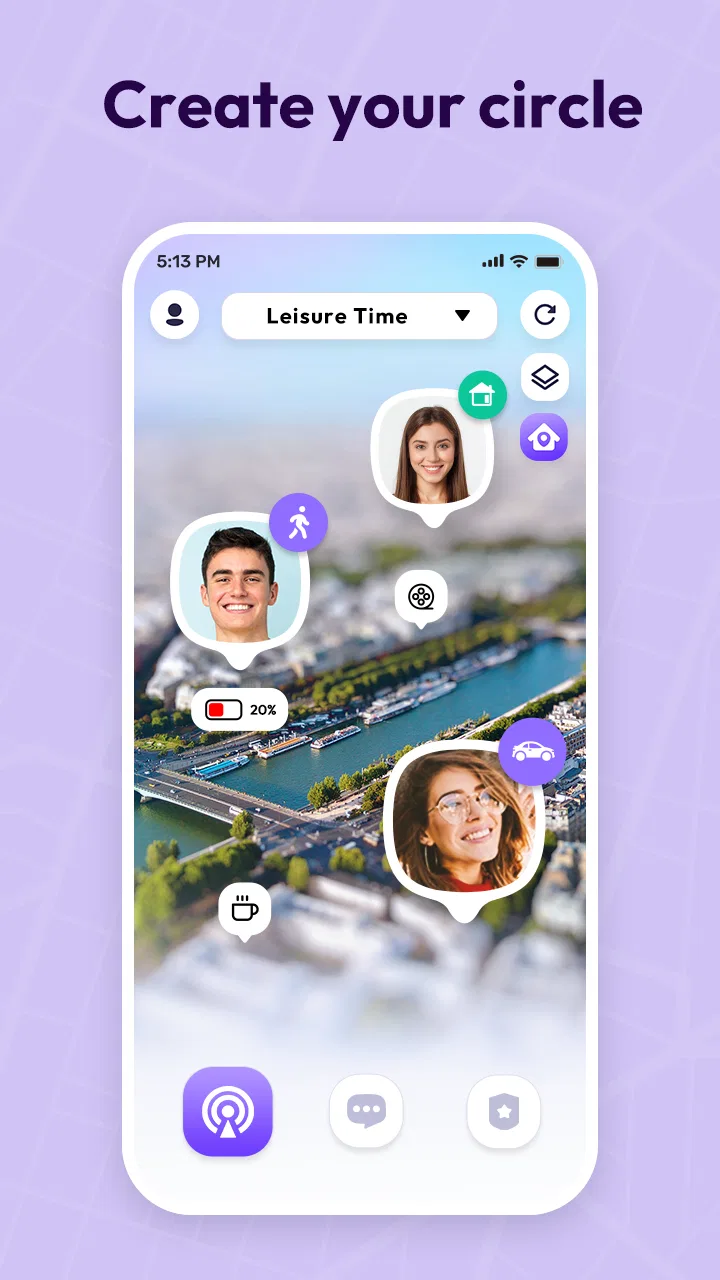
The app’s central idea is to keep selected people connected through a shared location view. That is more useful than it may sound when the need is specific. For example, imagine a family member driving home after a late shift. Instead of repeatedly sending messages such as “How far away are you?”, the person could share their position with the people who genuinely need it. The benefit is not entertainment; it is reducing uncertainty during a particular journey.
I also see a useful role for the phone-locator side of the app. A misplaced phone creates a different kind of problem from a missing person, and combining both situations in one safety-focused app can make the service easier to remember. Still, I would not treat a tracker as a substitute for emergency services or a guarantee that a device can always be found. Its usefulness depends on the phone being available, configured correctly, and used by people who understand the sharing arrangement.
The public response gives the app a reasonable level of visibility: it has an average rating of 4.1 from around 17 thousand ratings, with more than a million installs. I read that as evidence that many people find the basic concept useful, not as proof that every household will have the same experience. Location apps are especially sensitive to phone settings, network conditions, battery behavior, and the habits of the people using them.
Trust starts with the people in the circle
The most important decision is not whether the map looks clear. It is who belongs in the location-sharing circle. I would begin with the smallest possible group and add people only when there is a clear reason. A family member who needs reassurance during a commute is different from a casual acquaintance, and a temporary trip is different from permanent visibility.
That distinction matters because convenience can quietly become routine monitoring. If everyone is expected to remain visible all day, the app may create pressure rather than safety. I prefer a clear agreement: what the app is for, when someone shares their position, who can view it, and when the arrangement should be stopped. Link360 works best when it supports that agreement instead of becoming a silent replacement for trust.
I would also explain the setup to every person involved, including anyone who may not be comfortable with location technology. A child, older relative, or less technical family member should understand what the app is doing in ordinary language. The right question is not merely “Can this person install it?” but “Do they understand when their location may be visible and how to change that choice?”
Use the location feature for a defined purpose
One of the more useful habits I developed with this kind of app is to create a purpose before opening the map. If the purpose is “make sure my partner gets home after the journey,” I do not need to turn that into an indefinite observation system. If the purpose is “find my own phone,” I do not need a broad family circle at all. Separating those goals reduces unnecessary exposure and makes the app easier to manage.
A practical workflow is to agree on the journey first, share only with the relevant person, and review the arrangement once the journey is over. This is a small step, but it prevents temporary coordination from becoming a permanent habit. It also gives the person being tracked a clear expectation rather than leaving them to guess who may be looking.
Another useful approach is to keep the app out of emotionally tense situations. If someone is late, a location display can encourage repeated checking and quick assumptions. A map shows position, not the reason behind a delay. I would use it to answer a narrow safety question, then contact the person directly if something seems unusual.
Phone finding is helpful, but preparation matters
The phone-locator function is most valuable before the phone disappears. I would review the app while the device is in hand, make sure the intended account or circle is understood, and learn where the relevant controls are. Waiting until a phone is already missing is the worst time to discover that a permission, sign-in step, or sharing choice needs attention.
This is also where expectations need to stay realistic. A tracker cannot remove every obstacle involved in locating a misplaced device. If the phone is out of power, unreachable, or not configured as expected, the result may not be as helpful as the user hopes. I would still keep ordinary habits such as retracing steps, calling the phone, and using the platform’s built-in device tools when appropriate.
For that reason, I see Link360 as an additional layer rather than the only recovery plan. Its value is greatest when it is part of a prepared routine: the user knows the account, knows who can help, and has already thought about what to do if the map does not immediately solve the problem.
Permissions, data choices, and personal control
Location information is unusually revealing because it can describe routines, homes, workplaces, schools, and visits. I would therefore read every permission request shown during setup instead of approving everything automatically. The right choice depends on the feature I want to use, the people involved, and whether continuous access is genuinely necessary for that purpose.
I would also pay attention to the difference between a permission and an invitation. A phone may technically allow location access, while a separate in-app choice determines which people receive the result. Those are not the same decision. Before accepting an invitation or creating a circle, I would check the audience carefully and avoid treating a familiar contact list as an automatic privacy boundary.
The app’s visible controls should be treated as decisions, not decoration. Whenever Link360 presents an option related to sharing, access, account use, or location visibility, I would pause long enough to understand the consequence. If a control is unclear, I would choose the more limited option until I know what it does. That cautious approach is especially sensible for a free app supported by optional purchases, because convenience should not encourage rushed consent.
In my view, the most trustworthy use of a tracker is one where every participant can explain the arrangement. People should know whether they are sharing continuously or only for a particular need, who can view the information, and how to stop participating. If someone cannot answer those questions, I would not expand the circle yet.
Free installation does not mean every choice is cost-free
Link360 can be installed without paying, which lowers the barrier to trying its basic idea. Optional purchases are available, however, and the listed range runs from $0.49 to $99.99 per item. I would approach those offers carefully and decide what I actually need before starting a subscription or purchase flow. A safety-related app should be judged on its useful core, not on the assumption that every extra option is essential.
This is also a good reason to involve the person who manages payments before other family members use the app. Children or relatives sharing a device should understand that free installation and paid features are separate matters. I would review purchase prompts rather than tapping through them during setup, especially if the app is being introduced to a group in a hurry.
The app’s current version is 2.7.10, and it requires Android 6.0 or later. That makes compatibility a practical early check for anyone using an older phone. A family safety arrangement is only as dependable as its least compatible device, so I would confirm that every intended participant can install and operate the app before relying on it for a trip.
Where Link360 is stronger than ordinary alternatives
Compared with sending a location through a messaging app, Link360 is more focused on ongoing family coordination. A message-based share is often convenient for a single journey, but it can become fragmented across conversations. A dedicated tracker may feel more organized when the same small group needs to coordinate repeatedly.
It also has a clearer purpose than a standard map application. Maps are excellent for navigation, addresses, and route planning, but they are not always designed around the question “Which trusted person should be visible to me right now?” Link360’s appeal is the combination of location awareness and phone-finding in a lifestyle-oriented safety context.
That said, the usual alternatives can be better in important situations. If I only need to share my location once, a built-in temporary share may be faster and expose less information over time. If I need robust device recovery, the operating system’s native locator may be the more direct choice because it is already tied to the phone account. If a household wants extensive automation, alerts, or mature family-management tools, it should compare Link360 carefully with established platform features before moving everyone into a new system.
The trade-off is therefore convenience versus concentration. Link360 can put related tasks in one place, but adding another account and another location service also adds another layer to understand. I would choose it when that combined experience genuinely simplifies a family’s routine, not simply because the app offers many functions on one screen.
Who should use it, and who should skip it
I think Link360 is a reasonable fit for families or close groups that have a specific, shared reason to coordinate locations. It may help people who regularly need reassurance during commutes, trips, or meetups, especially when a phone-locating option is useful alongside person-to-person sharing. It can also suit users who prefer a dedicated safety app instead of scattering the task across messages, maps, and device settings.
I would skip it if the group cannot agree on consent and boundaries. It is also a poor fit for anyone seeking completely private, occasional location sharing with no continuing relationship between participants. In that situation, a temporary tool may be simpler and more appropriate. I would be cautious about using it where one person is being pressured to remain visible; no tracking feature can turn an unhealthy arrangement into a safe one.
People who dislike managing another account, reviewing permissions, or checking purchase prompts may also prefer the phone’s built-in tools. Link360 is not automatically better just because it combines several functions. The best option is the one that the whole group understands and can control without confusion.
My practical setup advice
I would start with one device and one trusted contact rather than inviting an entire household immediately. Test the basic workflow during an ordinary outing, confirm that everyone understands what is visible, and then decide whether the arrangement actually reduces stress. This small trial can reveal more than a rushed full setup.
Next, I would write down the group’s simple rules in a message everyone can refer to: why sharing is being used, when it is expected, and how someone can ask to stop. That may sound formal, but it prevents disagreements later. It also makes the app more respectful for people who are willing to share in emergencies but do not want constant observation.
Finally, I would revisit the circle whenever circumstances change. A new phone, a changed relationship, a finished trip, or a different household routine can make an old sharing arrangement unnecessary. Removing people who no longer need access is just as important as adding the right people in the first place.
After using Link360 in that cautious way, I see a useful but situation-dependent app. Its strongest quality is focus: it brings GPS-based location sharing and phone-finding into a single family-safety concept. Its biggest weakness is not a missing gimmick; it is the responsibility placed on users to manage access, consent, permissions, and expectations carefully.
My recommendation is conditional but positive. If you want a dedicated way to coordinate with a small trusted group and you are prepared to discuss privacy openly, Link360 is worth trying at its free entry point. Start narrowly, avoid assuming that constant visibility equals safety, and review every choice involving location or payment. If your need is only a one-time share or basic personal phone recovery, the built-in alternatives may be cleaner.
The app is most convincing when it supports an agreed safety plan, not when it replaces one. That is the standard I would use before inviting anyone else to join, and it is the reason I would recommend Link360 selectively rather than universally.
FAQs for Link360: Phone Tracker
01What is Link360: Phone Tracker, and how does it work?
Link360: Phone Tracker is a location-sharing and family safety app designed to help approved users view the real-time or recent location of connected devices. After installation, users typically create or join a private circle, grant the required permissions, and invite trusted contacts. The app may use GPS, Wi-Fi, and mobile networks, so accuracy can vary indoors, in rural areas, or when the phone has a weak signal.
02Does Link360: Phone Tracker require permission from the person being tracked?
Yes. Location tracking should only be used with the knowledge and consent of the person carrying the device. Link360 generally relies on users accepting an invitation and enabling location access through the phone’s settings. It is not an appropriate tool for secretly monitoring someone. Before downloading, families should discuss privacy expectations, who can see location data, and how tracking will be stopped when it is no longer needed.
03Will Link360: Phone Tracker work when the phone has no internet connection?
The app needs communication with its servers to share a current location with other members, so a reliable mobile-data or Wi-Fi connection is normally required. If the tracked phone loses signal, enters airplane mode, runs out of battery, or has background data restricted, the displayed position may become outdated. Once connectivity returns, the app may update the location, depending on its settings and device permissions.
04Does Link360: Phone Tracker affect battery life or use a lot of mobile data?
Any application that regularly checks GPS and updates a location can increase battery consumption, especially when high-accuracy tracking, continuous sharing, or frequent notifications are enabled. Data usage is usually modest for ordinary location updates, but it can vary with tracking frequency and map activity. To reduce the impact, review background activity, disable unnecessary alerts, and keep the phone’s battery-saving settings in mind.
05Is Link360: Phone Tracker free, and are there subscriptions or in-app purchases?
The availability of features and pricing can depend on the version, region, and current offer shown in the Google Play Store or Apple App Store. Some tracking services provide basic tools for free but reserve extended location history, additional circles, alerts, or advanced safety features for a subscription. Check the app’s store listing and subscription screen carefully before confirming payment, including renewal terms and cancellation instructions.
Pros
- Simple interface makes location sharing easy to understand.
- Supports real-time tracking for approved family members.
- Useful location history helps review recent movements.
- Can improve peace of mind during commutes or trips.
- Works well for coordinating meetups with trusted contacts.
Cons
- Requires continuous location access
- which may affect battery life.
- Accuracy can vary indoors or in areas with weak GPS signals.
- Some features may require a paid subscription.
- All tracked users must provide consent and keep sharing enabled.
- Background tracking may use mobile data throughout the day.

Link360: Phone Tracker
Gallery